
Stripe is mandatory for your Andromeda Website and/or Kiosk. If you don't setup Stripe on time, your Andromeda Website can't go live!
1. Log into Andromeda Portal -> https://portal.andromedapos.com/welcome (if you don't have account, please reach out to helpdesk@androtech.com or to your sales/implementation person).
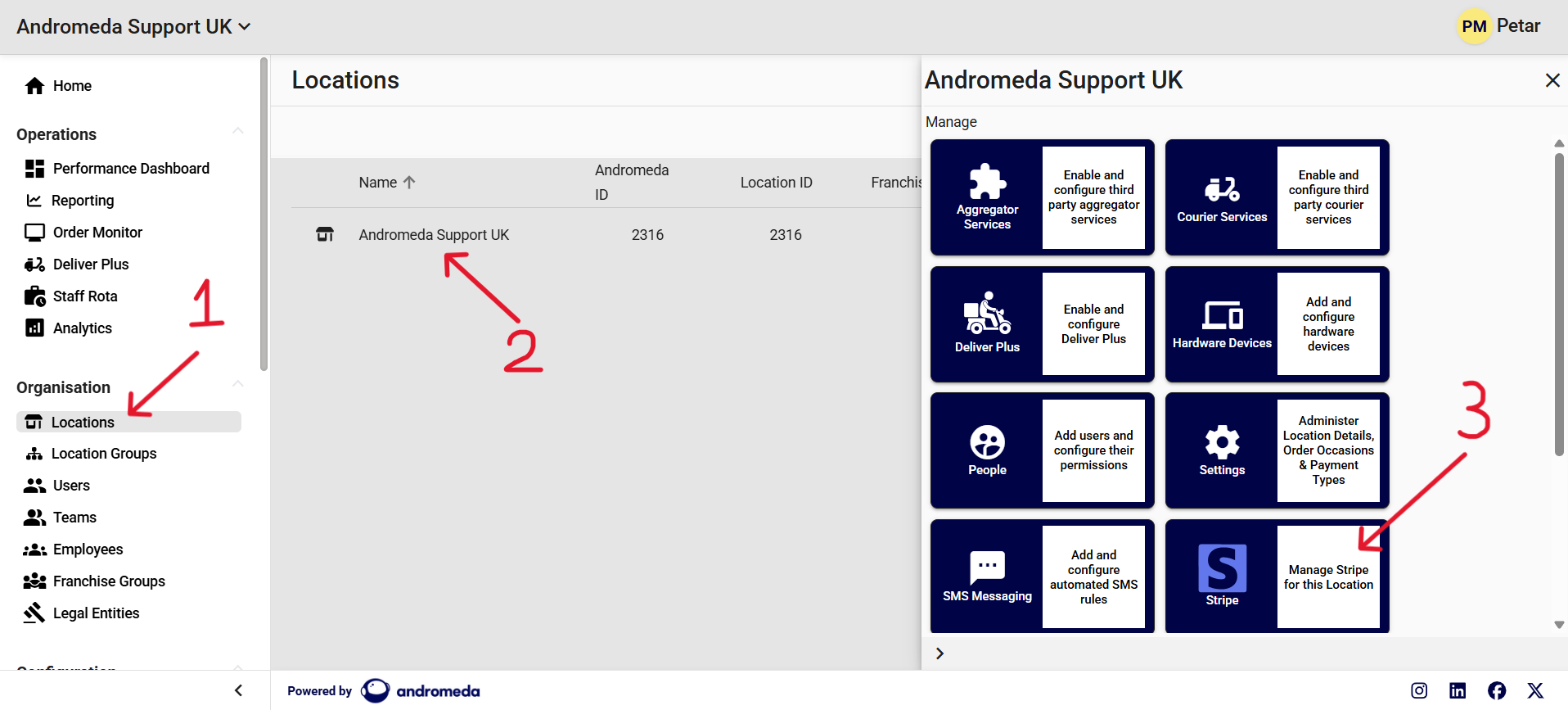
2. Choose your Business and select the "Location" button.
3. On the next screen, select the store.
4. After selecting the store, some more options will appear. Select the “Stripe” button and you will then see the “Stripe Set Up” button. Click it and you will be redirected to Stripe website and can proceed with setting up your account.
5. You will be asked question about your business - like business name, business address, bank details, etc.