The Partner Hub is the go-to platform for effortlessly and quickly integrating new sites with our eligible Integration Partners in just a few short steps. The sites can be integrated at any time, ensuring that you can utilise your integration as soon as you’re ready to.
1. Enabling Order API
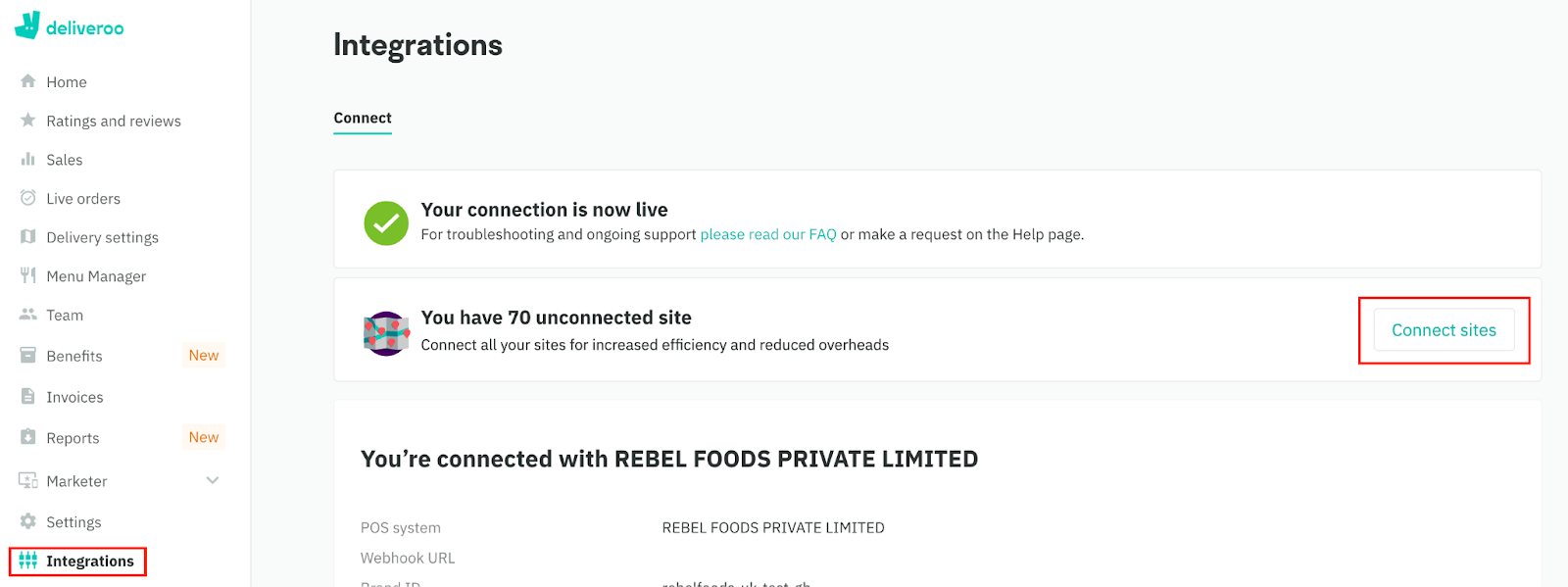
On Partner Hub, go to Integrations from the left-hand panel, and select “Connect sites”.
Use Search POS Systems to find the required Integration Partner to integrate with (Andromeda).
Select the Sites you want to integrate or you can select all of them.
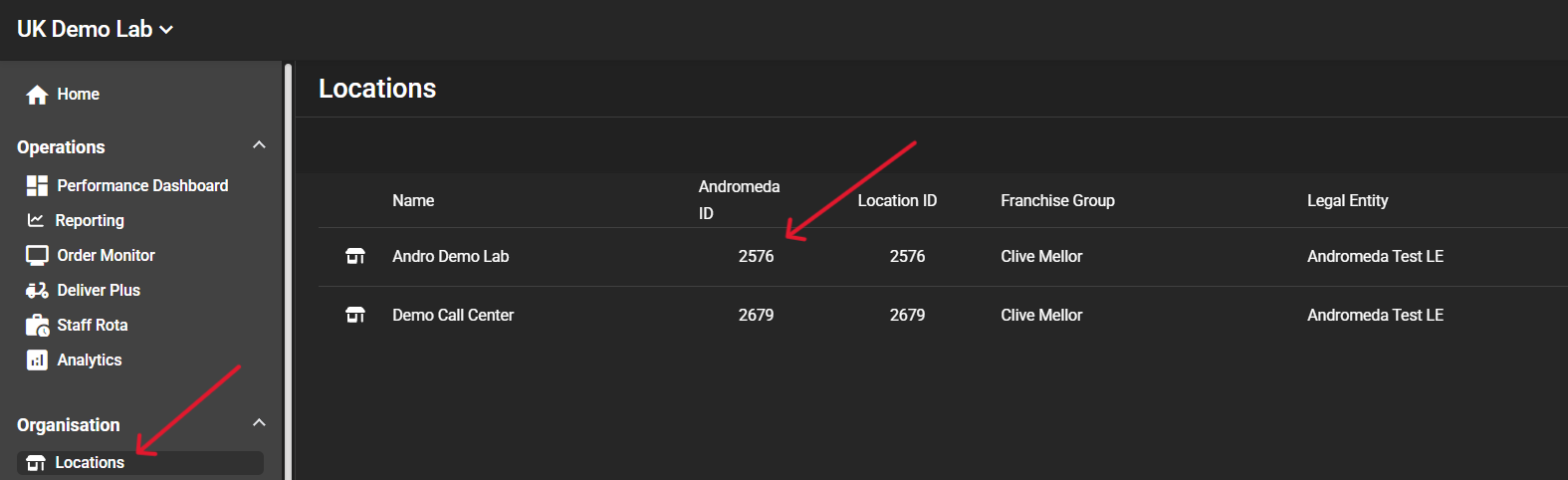
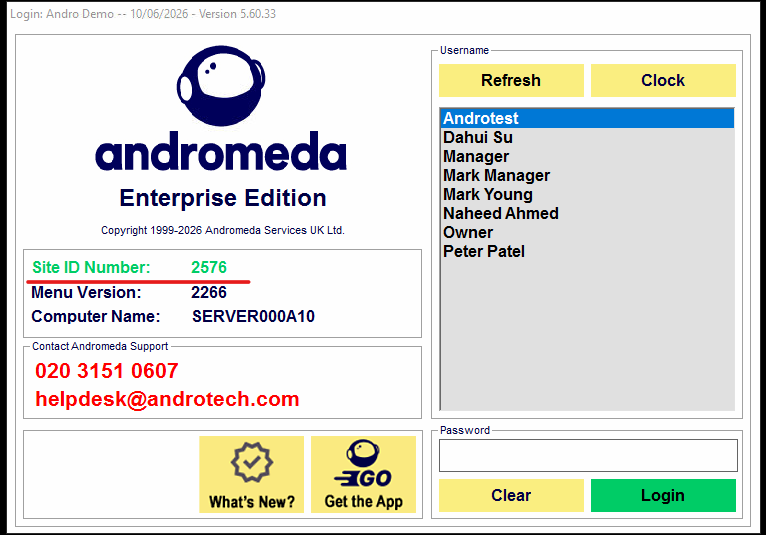
Enter the Site Location ID(s) - this is your Andromeda ID, it can be found in Andromeda Portal -> Locations, or Andromeda POS log in page
2. Choosing Menu API
Select Yes as the site(s) will use Menu API.
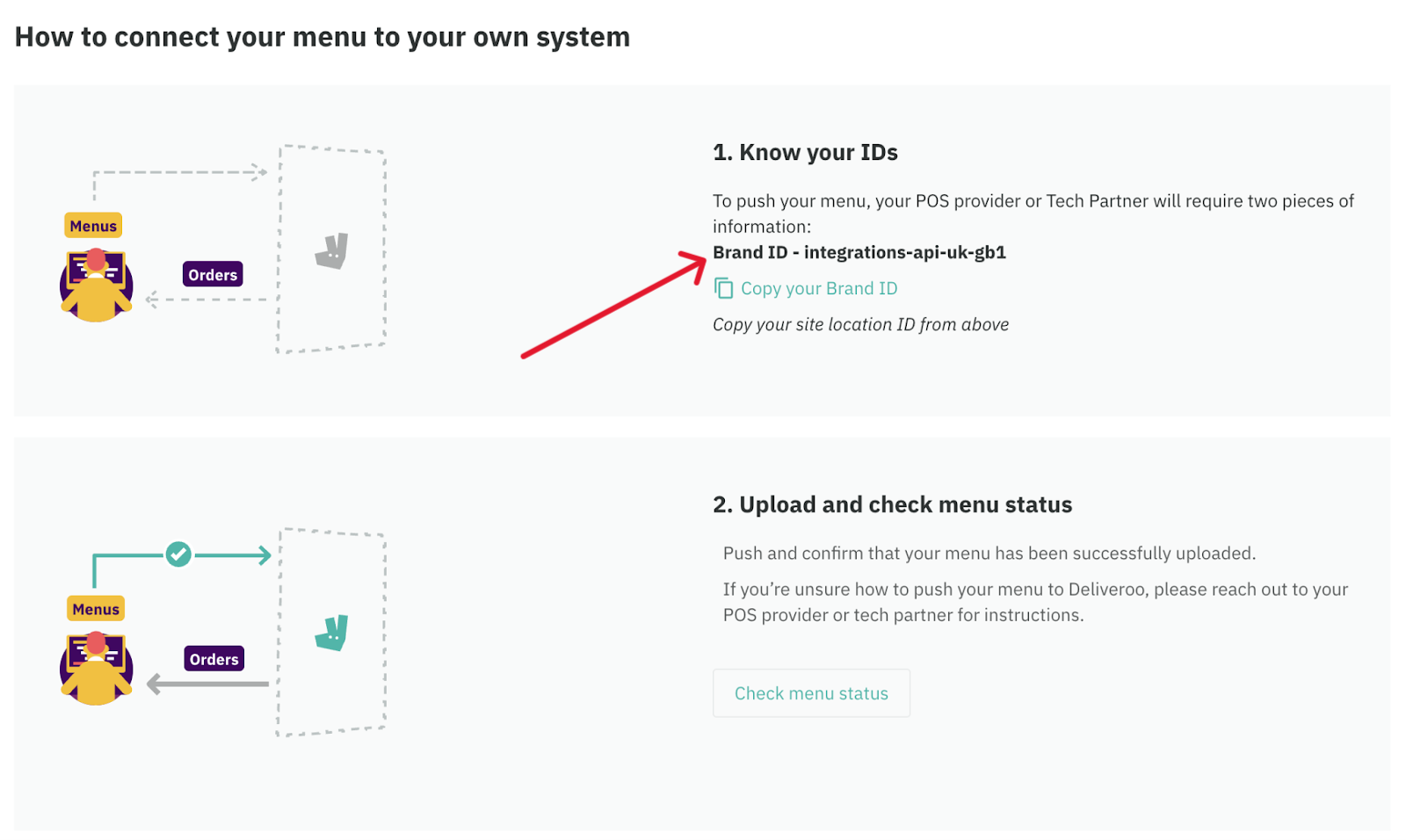
3. Please copy and send your Brand ID to the relevant Andromeda staff member, who is helping you with the integration, or to our Helpdesk Team - helpdesk@androtech.com
4. Once we have the Brand ID, we will need between 1 and 3 business days to setup the Integration from our side.
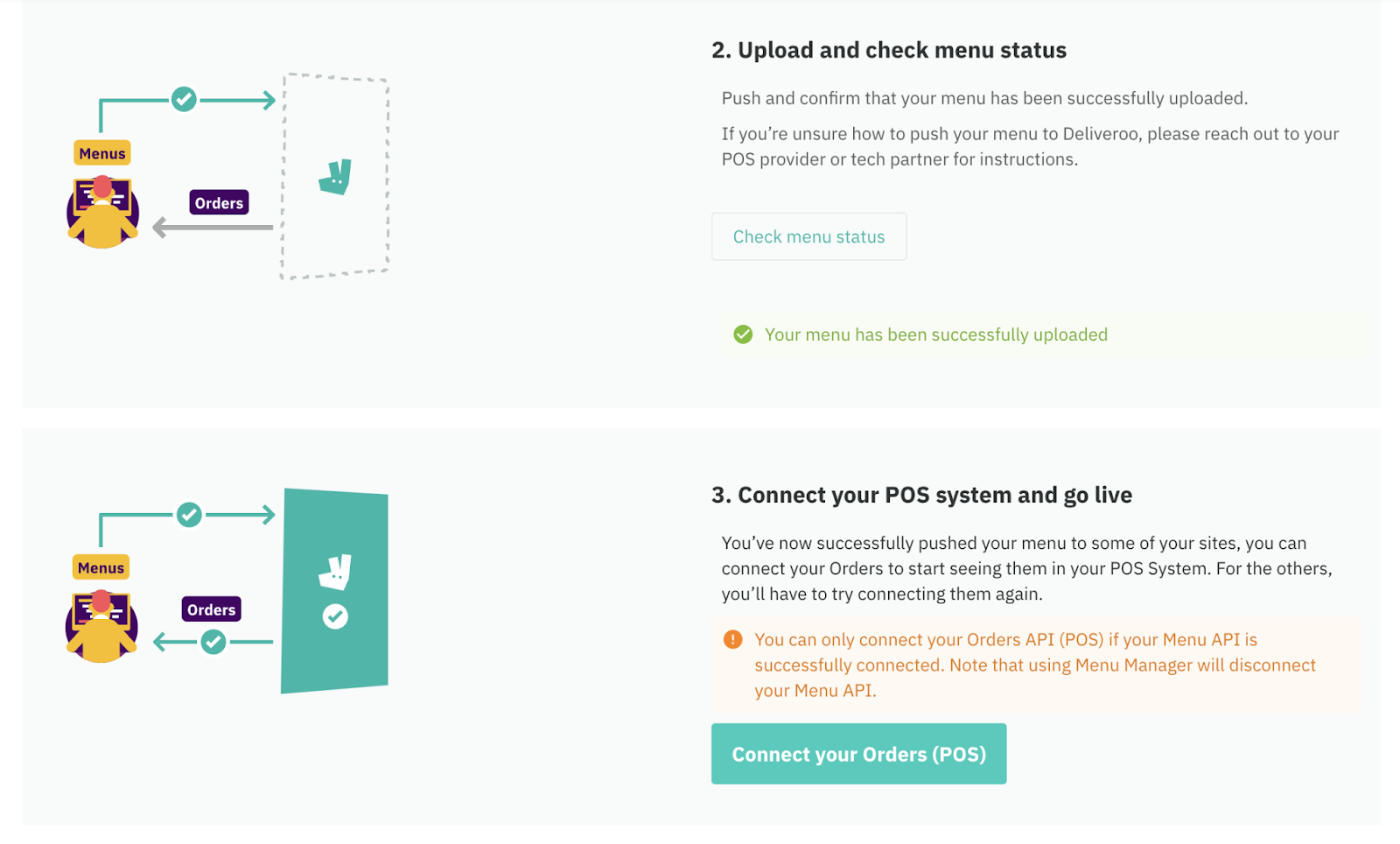
5. Once we are ready, we will push the menu to Deliveroo and will reach out to you for the final step, that you should complete on the Deliveroo Partner Hub, as below:
- Click on the Check menu status button to verify the menu has successfully uploaded.
If so, click on Connect your Orders (POS) to complete the integration.